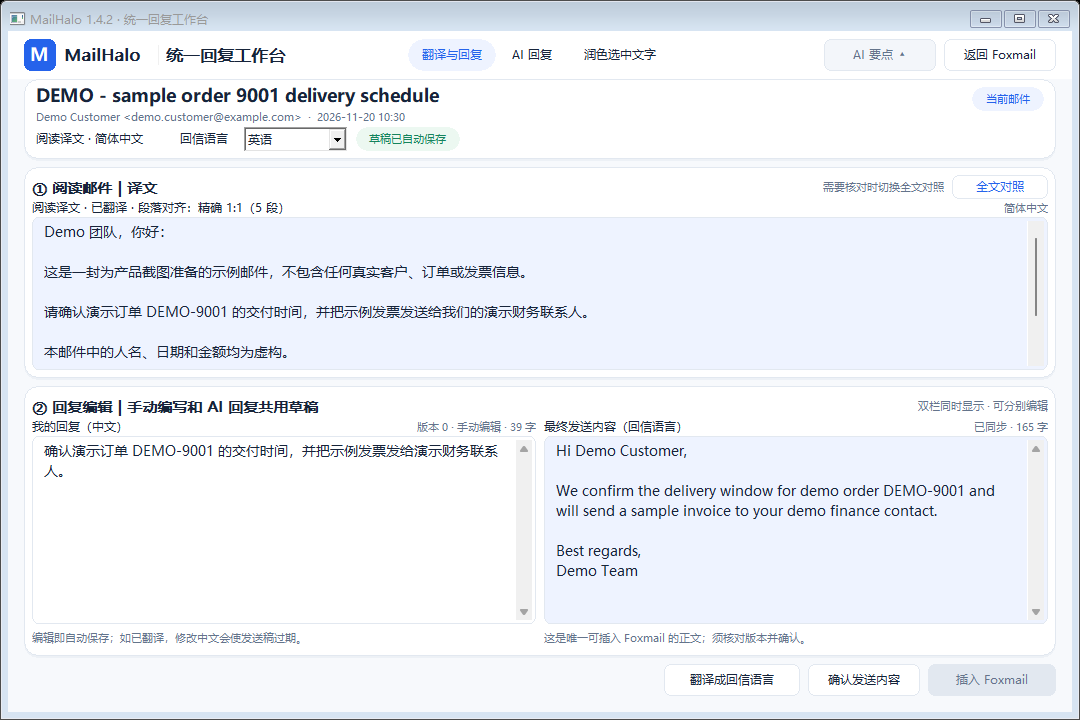
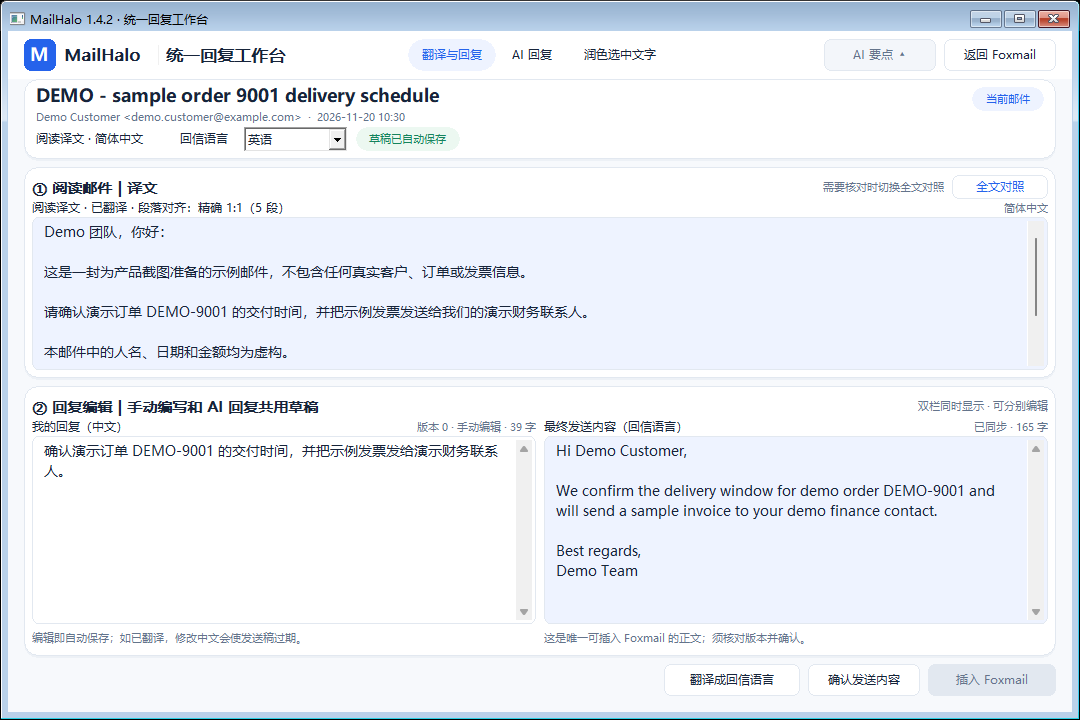
Unified reply workbench
Original, translation, Chinese draft and target reply in one window without clearing each other; synchronised scrolling keeps business terms, figures and conditions in context.

MAILHALO / DESKTOP AI MAIL ASSISTANT
Understand the email. Reply with evidence.
MailHalo is a desktop AI email assistant built by JISUMEN for existing Foxmail workflows. It works as an edge-docked panel beside Foxmail, reads the message you are viewing, and provides side-by-side translation, key-point and to-do extraction, and reply evidence and drafts that you confirm before use.
A running version under continuous validation. No public installer is available yet; contact us to request a trial.
WORKING WITH FOXMAIL
MailHalo is an independent companion application. It does not replace Foxmail or modify its data: it docks to the right edge of the window, and the message you select in Foxmail is its input.
MailHalo is not affiliated with, or certified by, the Foxmail team.
CORE CAPABILITIES
Original, translation, Chinese draft and target reply in one window without clearing each other; synchronised scrolling keeps business terms, figures and conditions in context.
Facts, to-dos and open questions, each one checkable, editable and extendable; details the email does not contain are marked as not specified.
A candidate draft is built from the key points you confirm; replace or append is your call; inserting into the Foxmail compose window is gated by account, message, thread and edit-area checks, and nothing is ever sent automatically.
HOW IT WORKS
Reads the message you are viewing in Foxmail and keeps the original context.
Organises translation, key points, deadlines and to-dos.
Check the reply basis and wording, and adjust the points if needed.
Produces a draft for you to edit; sending stays with you.
COMPATIBILITY / DATA
Supported systems: Windows 10 / 11 (64-bit). The current validation environment is Windows 11 with Foxmail 7.2, covering both the main-window preview and the standalone reader window. Outlook, Gmail and other clients are outside the scope of the current version.
MailHalo connects to a model service through an OpenAI-compatible API. It can point to a locally deployed service or to a cloud API you choose; provider, endpoint, model and key are configured by the user.
Translation and key-point extraction are performed by the configured model. Besides English, messages in less common languages such as German, French and Japanese can also be read side by side; coverage and quality depend on the model you configure.
Email content is sent to the model endpoint you configure. With a cloud API, that content leaves the machine; where data egress is restricted, configure a local or intranet model service — note the content still leaves the machine to reach that service; it just stays inside your network. The client contains no telemetry, and the sign-in password and API key are encrypted on the local machine with Windows DPAPI.
MailHalo does not send email automatically: replies are produced as drafts that the user confirms, edits and sends.
Based on the actual v1.4.2 build; features and supported configurations follow the delivered version. MailHalo is independently developed by JISUMEN and is not affiliated with the Foxmail team.
MANUAL
Installation and first run, three-layer translation policy, streaming preview (text appears as it is generated), proxy and VPN guidance, logging and troubleshooting, FAQ — 7 pages.
Screenshots in the manual use simulated email (DEMO-9001); no real email content is shown.