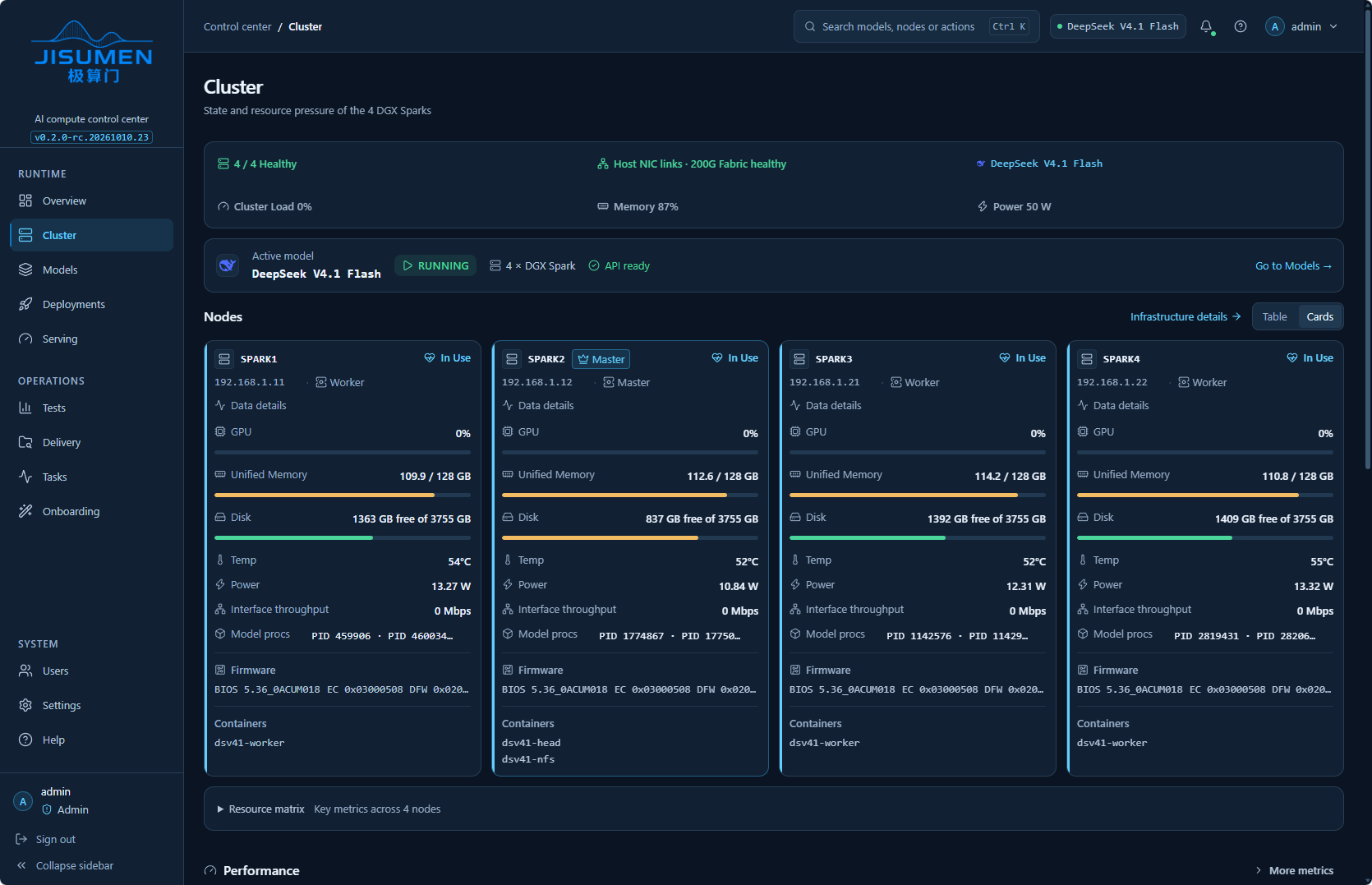
01 / CLUSTER
Four nodes. One clear view.
Identify master and worker roles. Inspect GPU, unified memory, disk, temperature and power, with process and container details to help locate workloads.
Cluster · Node resource cards
 Enlarge image

SOFTWARE / OPEN SOURCE
Explore JISUMEN software for private model operations, performance testing and everyday work.
PRIVATE AI / CONTROL CENTER
JISUMEN AI Compute Control Center
See models, nodes and service status in one console, connecting model management, onboarding checks and operational troubleshooting.
Explore features and interfaces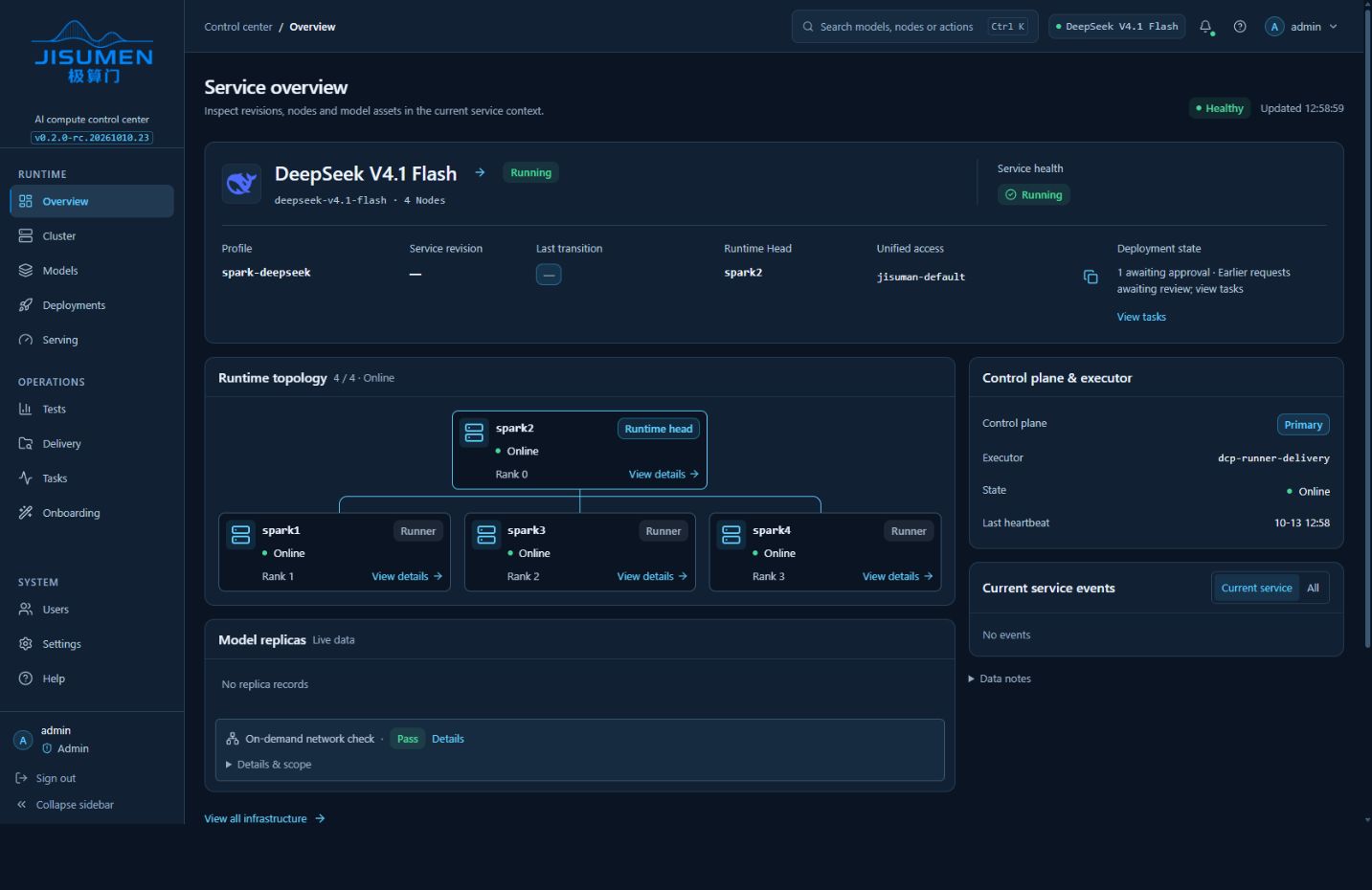 Enlarge image
These interfaces show the current demo environment with four DGX Spark systems. Values reflect the time of capture. Supported configurations and deliverables depend on the validated release and agreed plan.
FEATURES / LIVE INTERFACES
Inspect resources, organize model operations and diagnose issues from one place.
01 / CLUSTER
Identify master and worker roles. Inspect GPU, unified memory, disk, temperature and power, with process and container details to help locate workloads.
Enlarge image
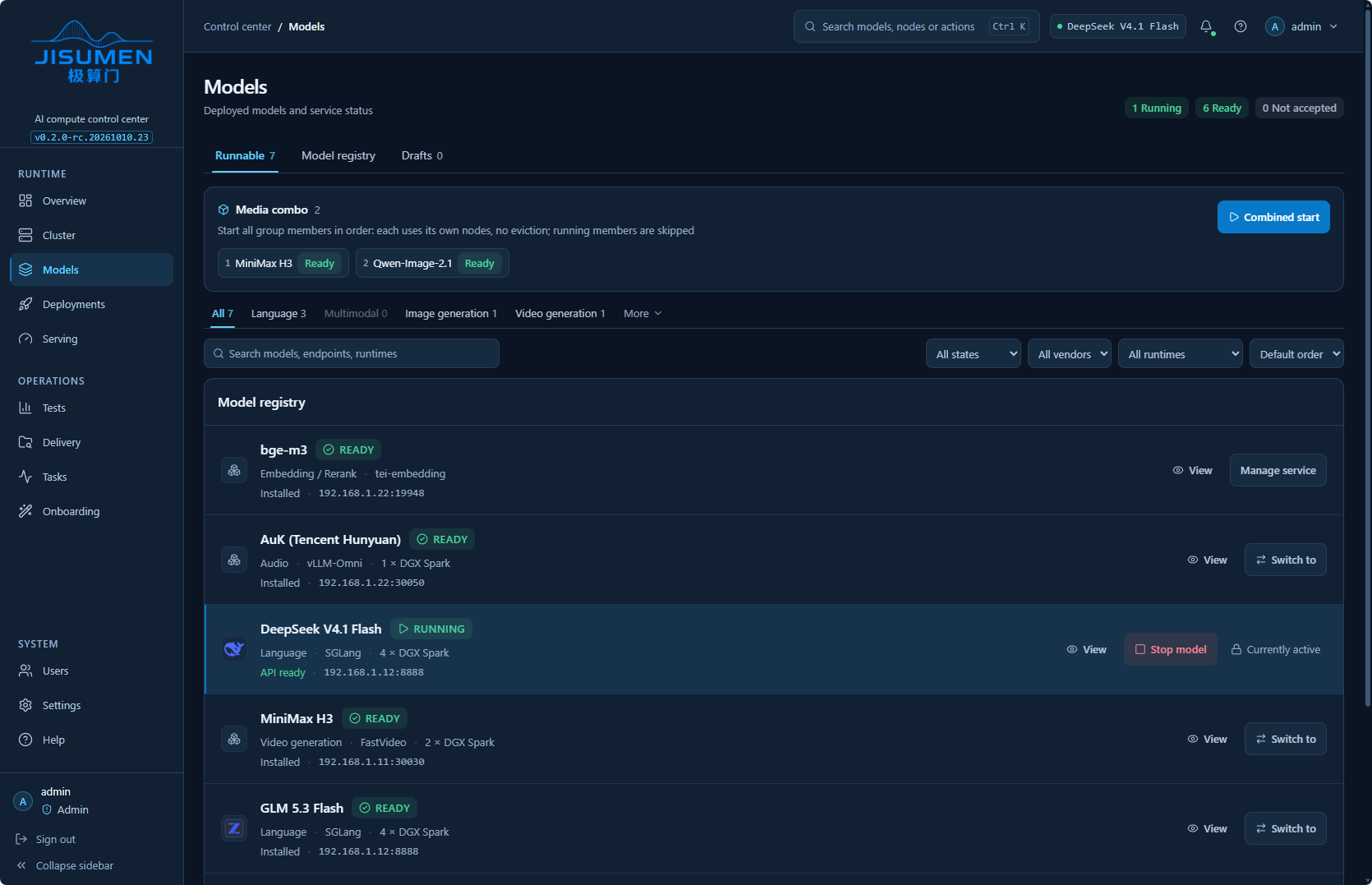
02 / MODELS
Review deployed models and their runtime status. Perform controlled operations using registered configurations and node resources, with a unified client entry point displayed.
 Enlarge image
03 / ONBOARDING
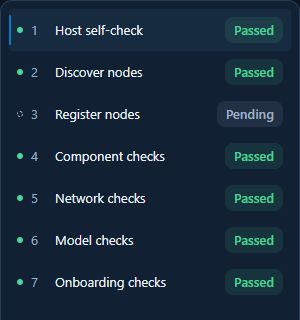
Start with control-host self-checks, node discovery, and registration. Then review component, network, model, and onboarding checks, with clear status information and next steps.
 Enlarge image
04 / OPERATIONS
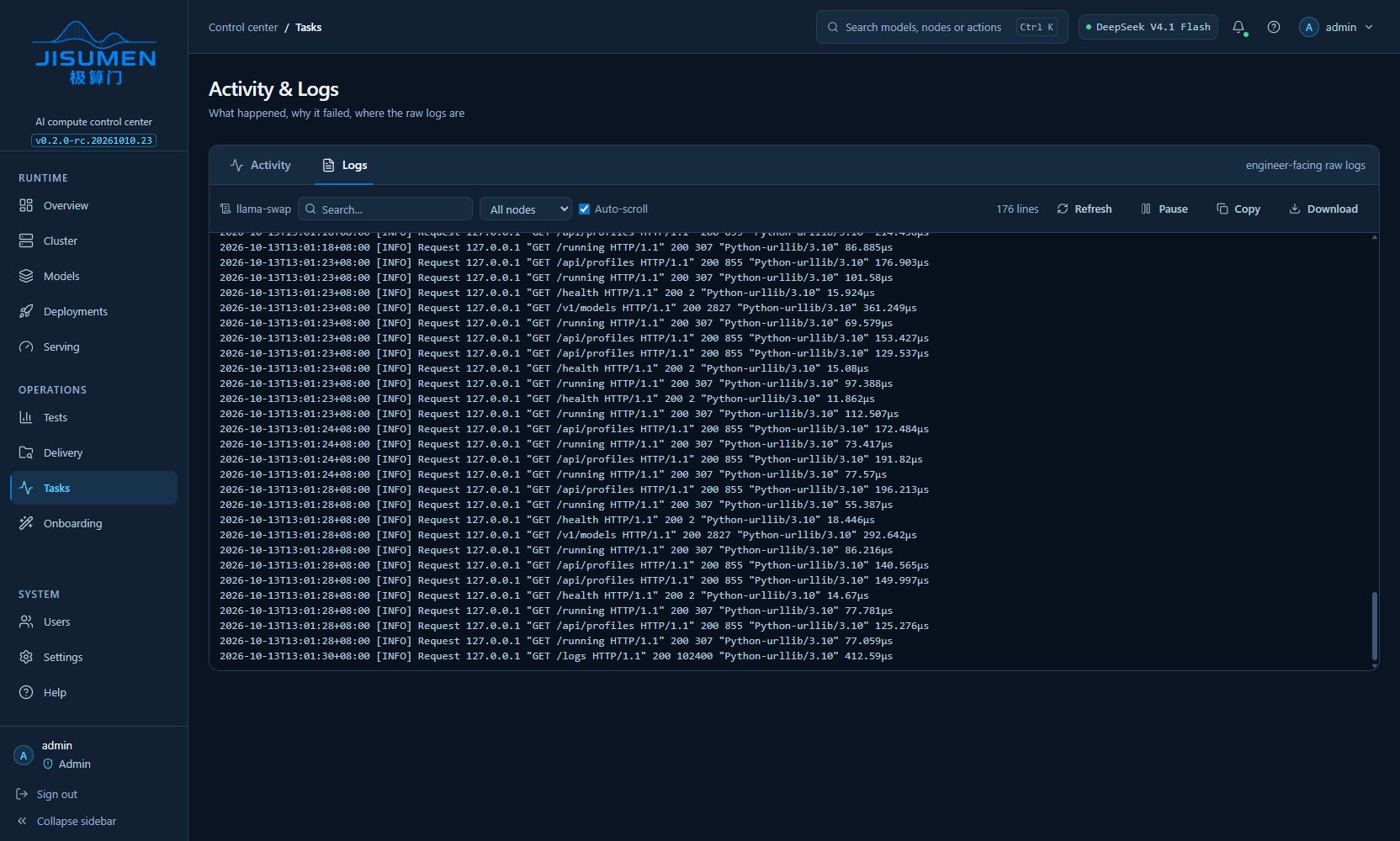
Use activity history and raw logs to trace operations. Filter by node, search for relevant messages, and refresh, pause, or export logs to support troubleshooting.
 Enlarge image
The seven runnable models belong to this demo; compatibility with arbitrary models is not implied.
Registration and checks are separate from component installation, model deployment and complete service delivery.
05 / USERS & ACCESS
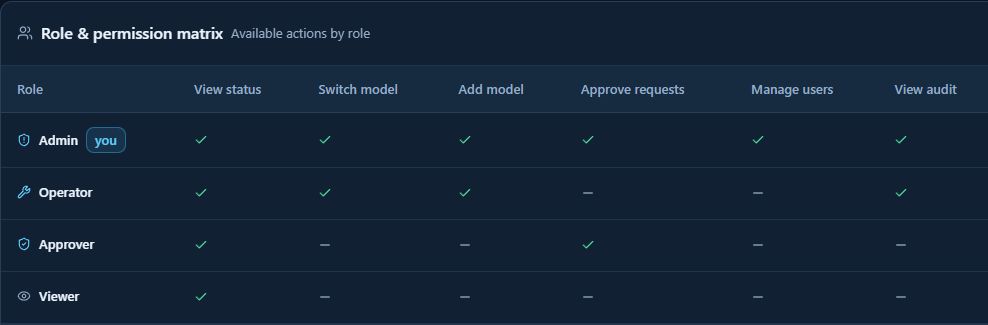
Manage users and roles to define operational access, including routine operations, approval and read-only viewing.
Local accounts and server-side sessions, with TOTP multi-factor authentication and OIDC enterprise single sign-on. Integration settings are confirmed in the delivery plan.
 Enlarge image
A PRACTICAL WORKFLOW
A clear path for managing your deployed environment.
Identify nodes and record management details.
Review component, network and onboarding status.
Check configurations, resources and runtime status.
Use overview, activity and logs to investigate.
Component installation, model deployment and service delivery remain separate steps. The wizard displays check status and execution boundaries.
Public installation packages and guides are not yet available. They will be provided here after the version has passed validation and release preparations are complete.
| Products | JISUMEN AI Compute Control Center |
|---|---|
| Installation packages | Public download not yet available |
| Installation guide | Provided with the official release |
| Runtime location | The customer’s DGX Spark system or control host |
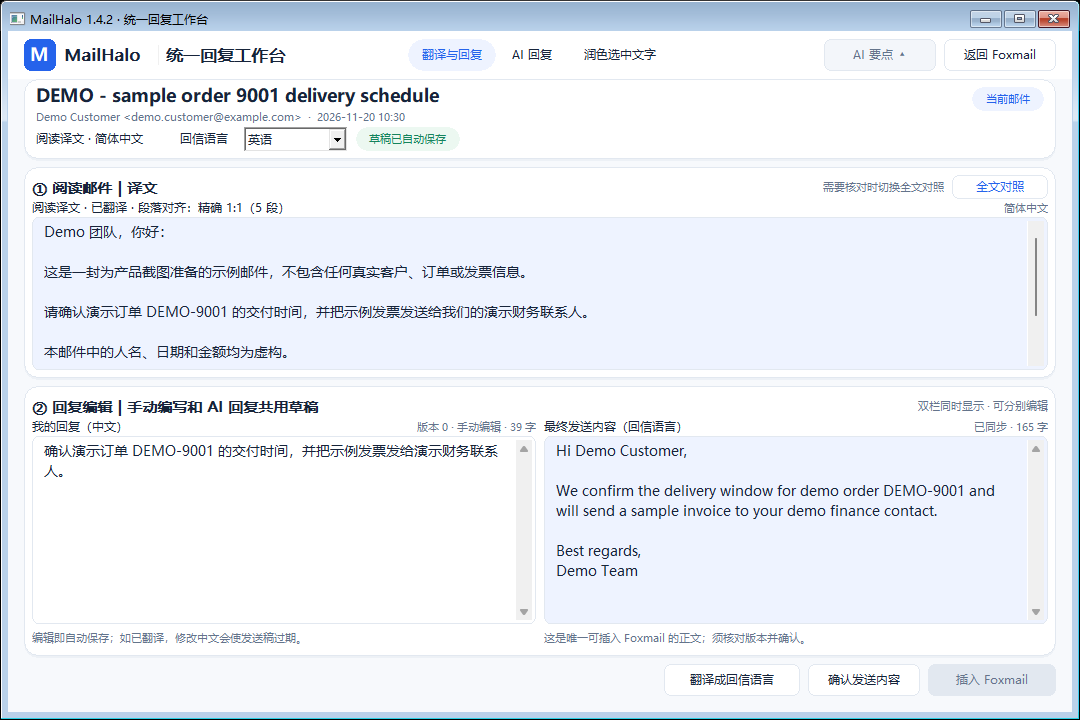
OPEN SOURCE / LLM-BENCHMARK-GUI
LLM Benchmark GUI
JISUMEN's LLM service performance testing tool works with OpenAI-compatible endpoints, helping developers and deployment teams assess throughput, latency and concurrent operation.
Check endpoint connections and model lists, then run individual benchmarks and concurrent load tests.
Compare throughput, latency and success rates across concurrency levels to help assess operating configurations.
Save test runs and review historical results, with JSON, Markdown and chart outputs.
Chinese and English interfaces are available. Core benchmarks use the Python standard library; charts and PNG export require optional dependencies. See the project documentation for features and setup. Interpret results alongside the test environment and parameters.
RUNNING VERSION / MAILHALO
MailHalo is a desktop AI email assistant built by JISUMEN. It works with your existing Foxmail workflow, offering side-by-side translation, key-point and to-do extraction, and reply assistance you confirm before anything is used.
Read and preview first. You review the content, insert the chosen reply, then edit and send.
A running version under continuous validation. Supports Windows 10 / 11 (64-bit) with Foxmail 7.x. English and less common languages such as German, French and Japanese can all be read side by side; no public installer is available yet — contact us to request a trial.